Claude Fable 5.2: what people are already building
Anthropic released Claude Fable 5.2 on 9 November 2026: faster, cheaper and built for long tasks. What is new, and what are people building with it?

5 min readNew

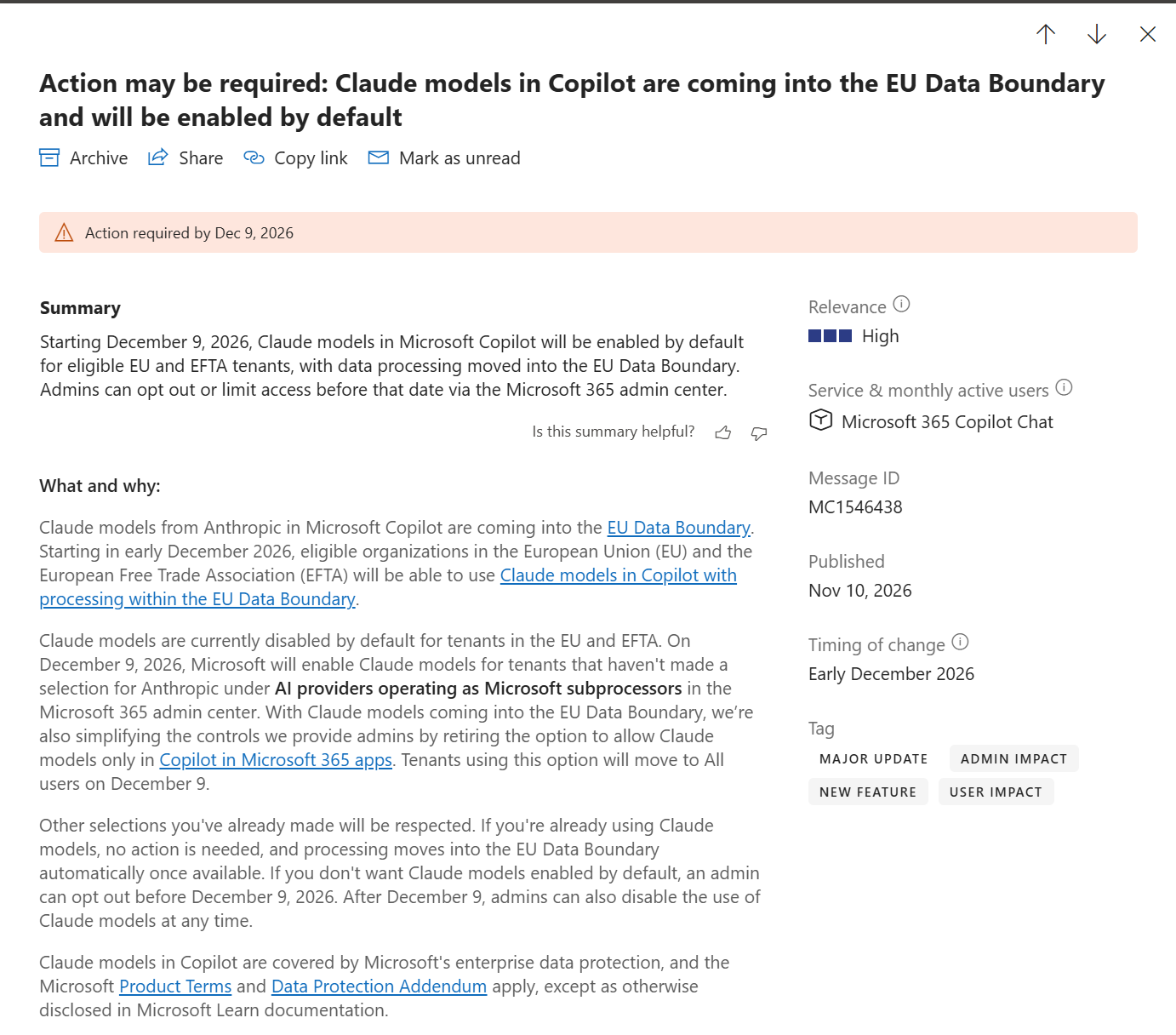
Do you use Microsoft 365 Copilot in a tenant in the EU, the EFTA or the United Kingdom? Then on 9 December 2026 the setting that decides who uses Anthropic’s Claude models in Copilot changes. Microsoft describes this on the Learn page about Claude in Microsoft 365 apps, updated on 20 November 2026; message MC1546438 in the Message center names the EU and the EFTA.
According to Microsoft, from 9 December all users get access to Claude in a tenant where no choice was ever made. In this blog post you read what changes, who it applies to and how to check it before that date.
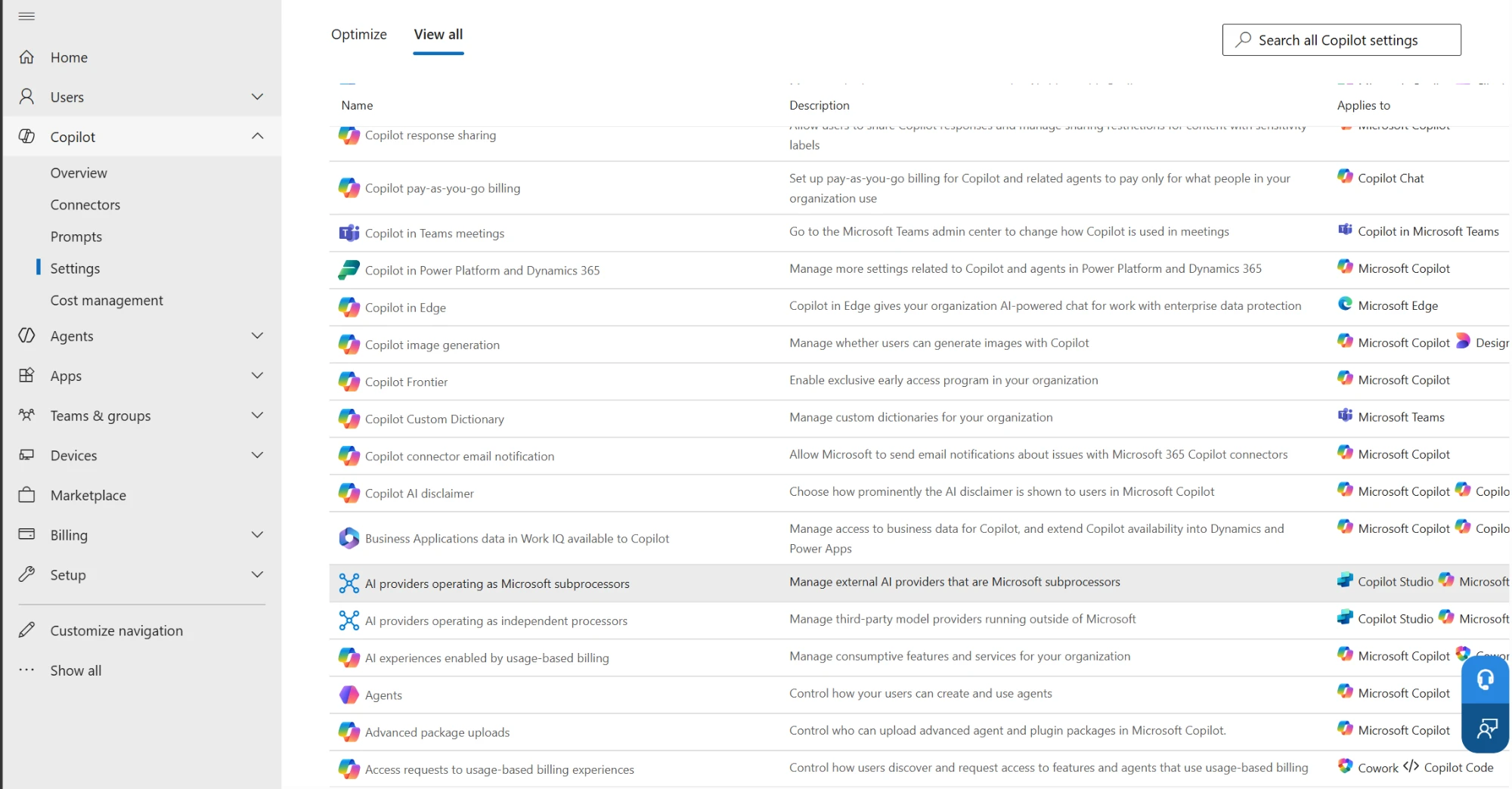
In the Microsoft 365 admin center, Anthropic is listed under AI providers operating as Microsoft subprocessors. That is where you choose which users may use Claude models. Until now you could limit them to Copilot in Excel, PowerPoint and Word, with the option All users for Microsoft 365 apps only.
From 9 December 2026 that option goes away. According to Microsoft, this is what happens then:
| Choice before 9 December 2026 | Choice from 9 December 2026 |
|---|---|
| No choice made | All users |
| All users for Microsoft 365 apps only | All users |
| All users for all Copilot and generative AI experiences | All users |
| Specific users and groups for all Copilot and generative AI experiences | Specific users and groups |
| No users | No users |
The remaining options are then named All users, No users and Specific users and groups. According to Microsoft, this is part of Claude coming into the EU Data Boundary, starting in December 2026.
On the Learn pages, updated on 20 November 2026, Microsoft writes that processing for Claude models in Copilot still takes place outside the EU Data Boundary. The message in the Message center is more specific. Microsoft enables Claude on 9 December 2026 for eligible tenants in the EU and the EFTA that have made no selection. According to the message, processing within the EU Data Boundary comes “in early December” and moves automatically once available; if you already use Claude, you need to do nothing for that. In a blog post of 5 November 2026 too, Microsoft names only the EU and the EFTA for this, not the UK.
The Anthropic models with Data Retention, such as Claude Fable 5 and Claude Mythos 5, have a separate setting. They fall under Anthropic’s own terms and, according to Microsoft, are off by default everywhere.
You need the AI Administrator or Global Administrator role.
In the Microsoft 365 admin center, go to Copilot > Settings > View all.
Choose AI providers operating as Microsoft subprocessors.
Under Available subprocessors for your organization, choose Anthropic. The screenshot comes from a test tenant where Anthropic is already enabled; yours may show something else.
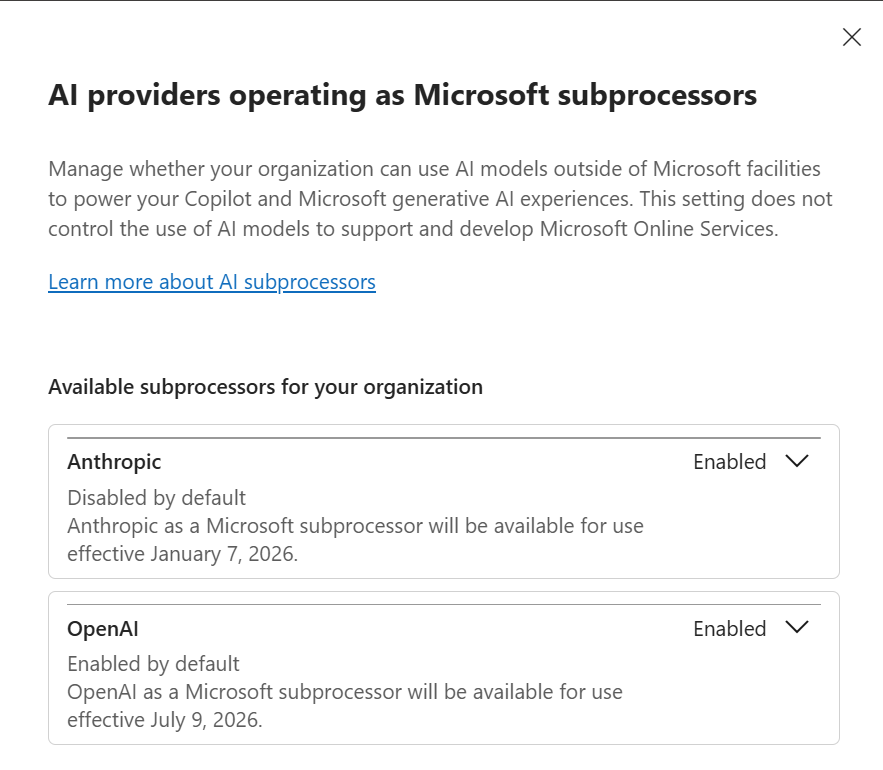
Under Choose which users can access Anthropic models (on another Learn page: Choose who can access Anthropic models for Copilot and generative AI experiences), check who has access now. If you do not want Claude for everyone, choose no users or only specific users and groups, and select Save.
For Copilot Studio and Power Platform there is then a separate setting in the Power Platform admin center.
💡 Microsoft recommends that all admins check this before 9 December 2026. The message in the Message center is called “Action may be required: Claude models in Copilot are coming into the EU Data Boundary and will be enabled by default” (MC1546438).
Before 9 December, check in the Microsoft 365 admin center what your tenant has set for Anthropic, and check again after 9 December. If the option for Microsoft 365 apps only is on, or no choice was ever made, decide now whether Claude is allowed for all your users, now that, according to Microsoft, processing for eligible EU and EFTA tenants moves into the EU Data Boundary from December, and no source says this also applies to the UK.